NineT Lab’s workbench is a development environment designed to carry context and results between agents responsible for planning, implementation, and review. We defined each role’s responsibilities and deliverables, then connected specialist teams through purpose-specific packs.
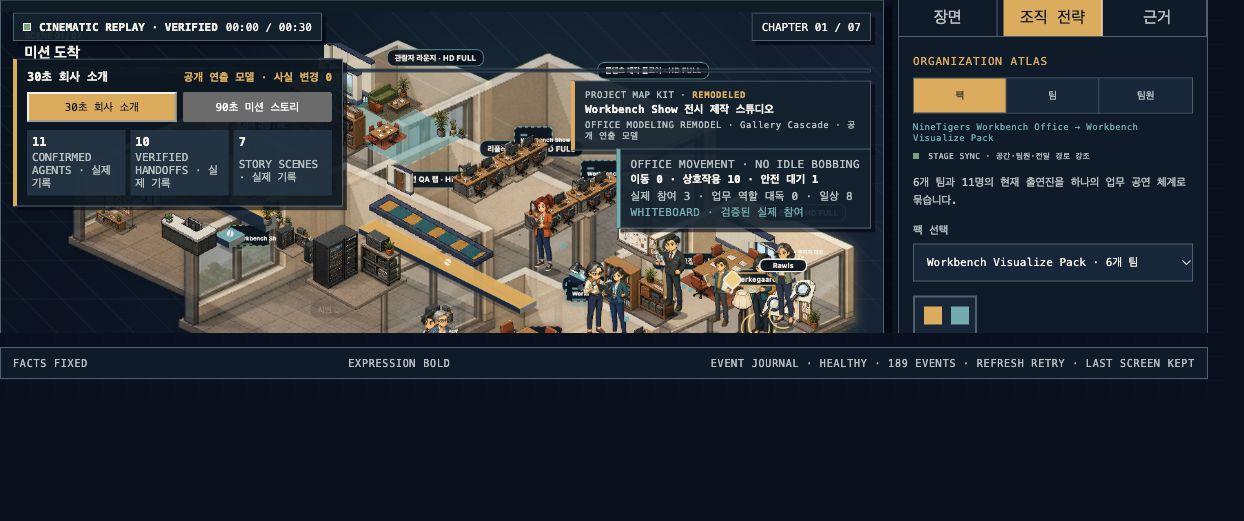
Office Simulation was developed as a separate project to visualize the collaboration structure. This replay view represents relationships between packs, teams, and agents as an office space.
Agent roles and specialist packs
Planning, implementation, and review require different judgments and inputs. We defined each role’s scope and the results it passes forward, and packaged domain-specific roles, procedures, and review criteria together.
Packs are selected and connected to a shared collaboration framework. Reusable expertise is maintained separately from product source, allowing established working methods to carry over to other projects.
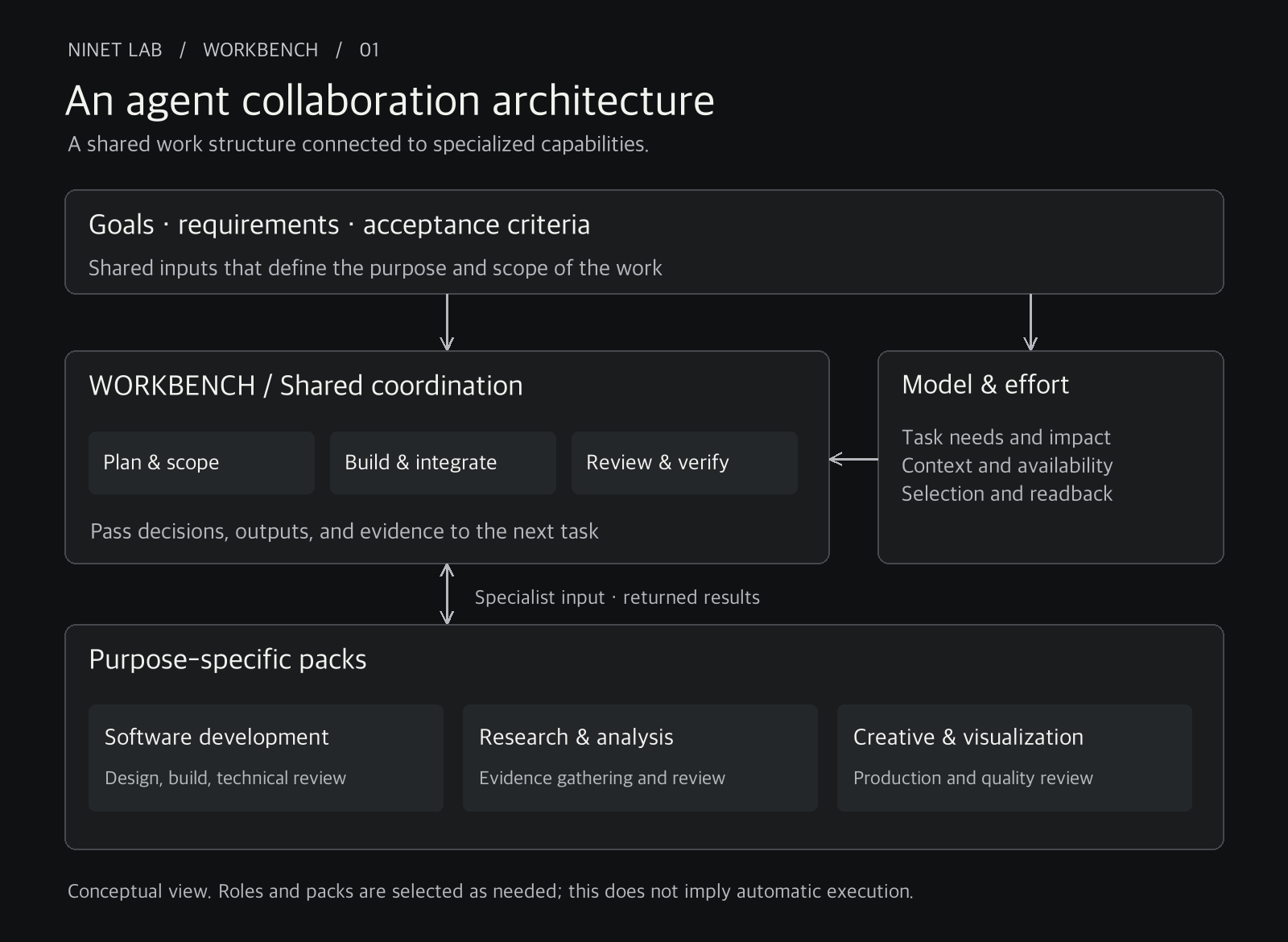
How specialist packs connect to the shared collaboration framework.
From planning to implementation and verification
Project goals are translated into work units and acceptance criteria. Implementation receives both the scope of the change and the behavior that must be preserved. Design intent and check results accompany the code, giving the next role the basis for earlier decisions.
Review findings are checked against the implementation before corrections are made, followed by verification of the affected area. Implementation, review, and verification have distinct results within a connected workflow.
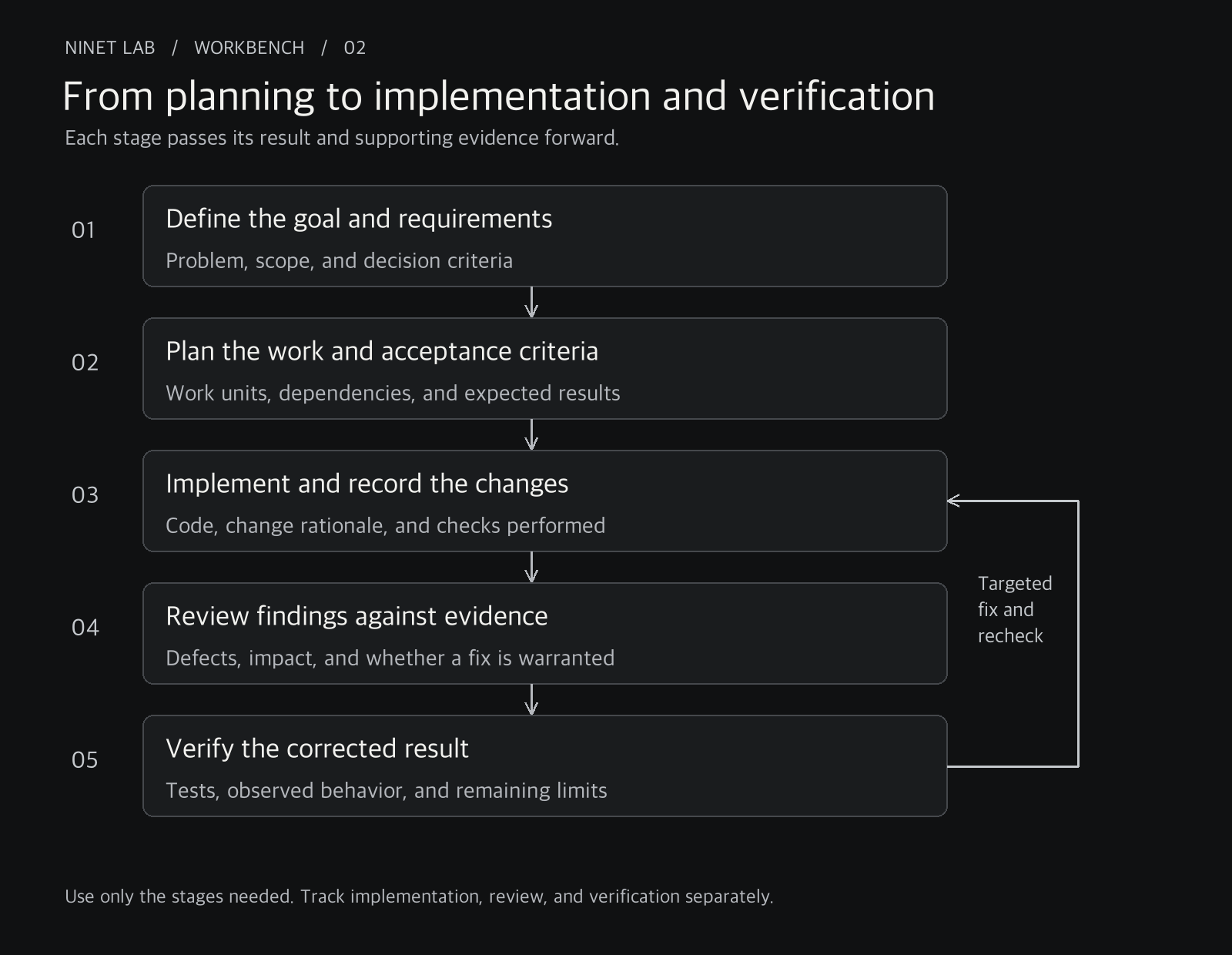
Development stages and handoffs. The stages used depend on the scope of the task.
Matching models to tasks
We built tooling that supports model and reasoning-effort selection based on task complexity, the impact of a change, and the context required. It records the rationale for the selection and supports checks of model availability and execution results.
Roles and workflows are maintained in documents and structured configuration, with Ruby tools checking composition and selection results. The separate Office Simulation visualization project uses HTML, JavaScript, and Canvas.
The design focuses on continuity and the ability to review the work. Keeping design intent, changes, and verification results together is intended to preserve the context needed for subsequent improvements and maintenance.